Built into CreatorHub
AI Post Creation
What usually gets in the way
The Blank Page Anxiety
You stare at the screen for 20 minutes, write two sentences, delete them, and close the tab.
How this helps — without extra effort
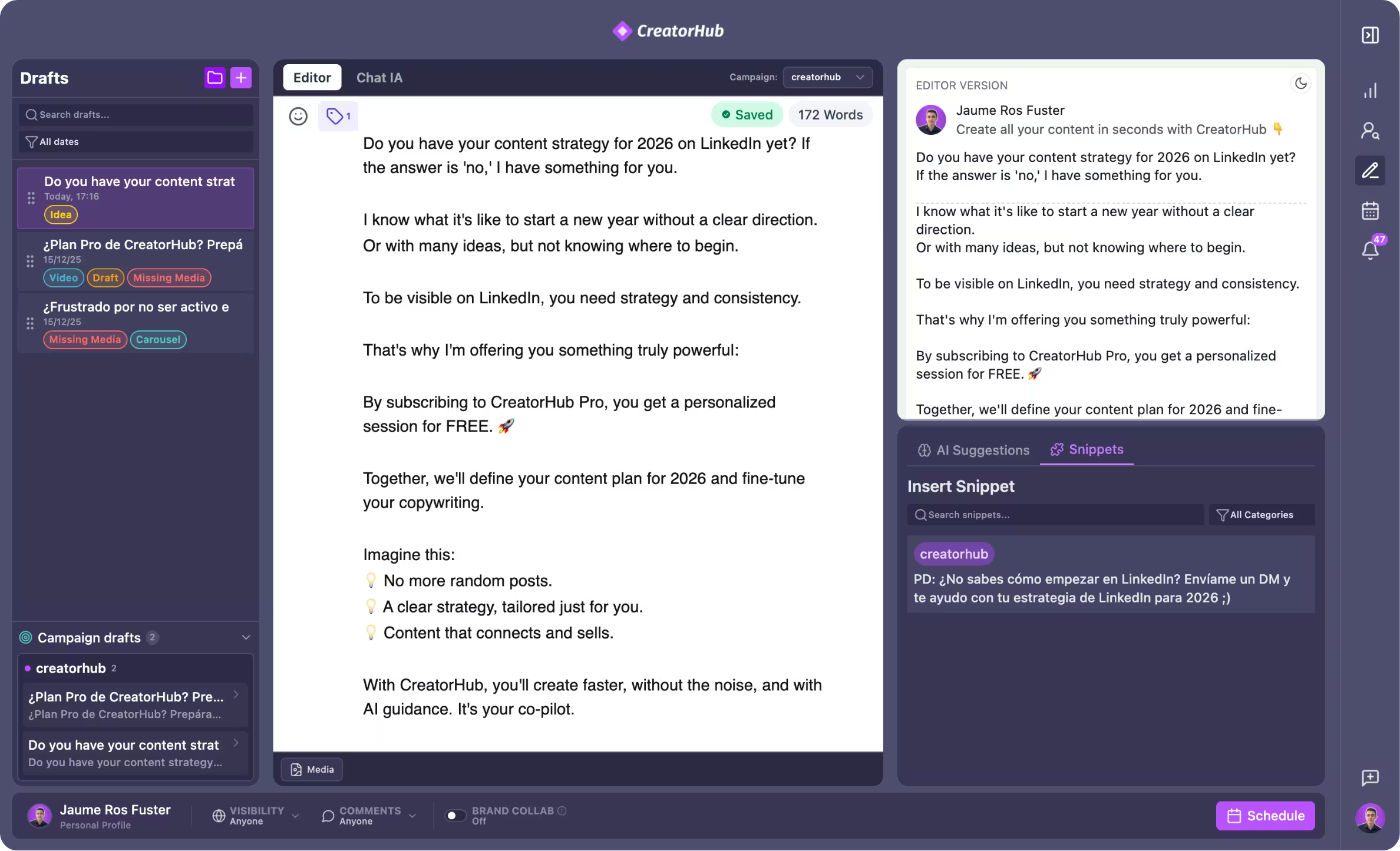
Turn rough ideas (or even PDFs/videos) into high-performing LinkedIn posts in minutes, with your voice, structure, and style.
Trusted by teams at




Your weekly workflow
What you’ll actually do (and what CreatorHub handles for you)
The goal is to reduce friction: fewer steps, clearer decisions, and a system you can keep using.
Voice cloning
Voice Cloning: The AI learns your specific tone and style to ensure every post sounds exactly like you.
From PDF/Video to posts
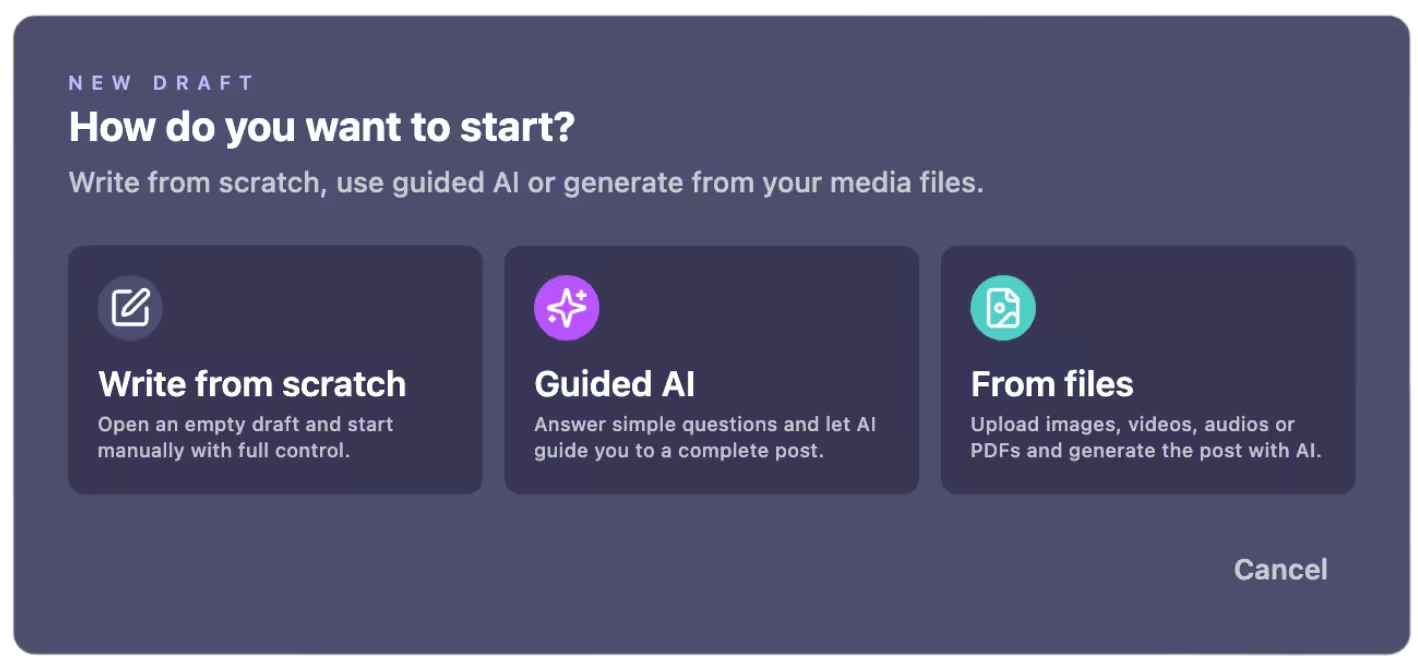
From PDF/Video to Viral: Upload a file, and watch the AI extract key insights and format them into carousel-ready content.
Magic commands
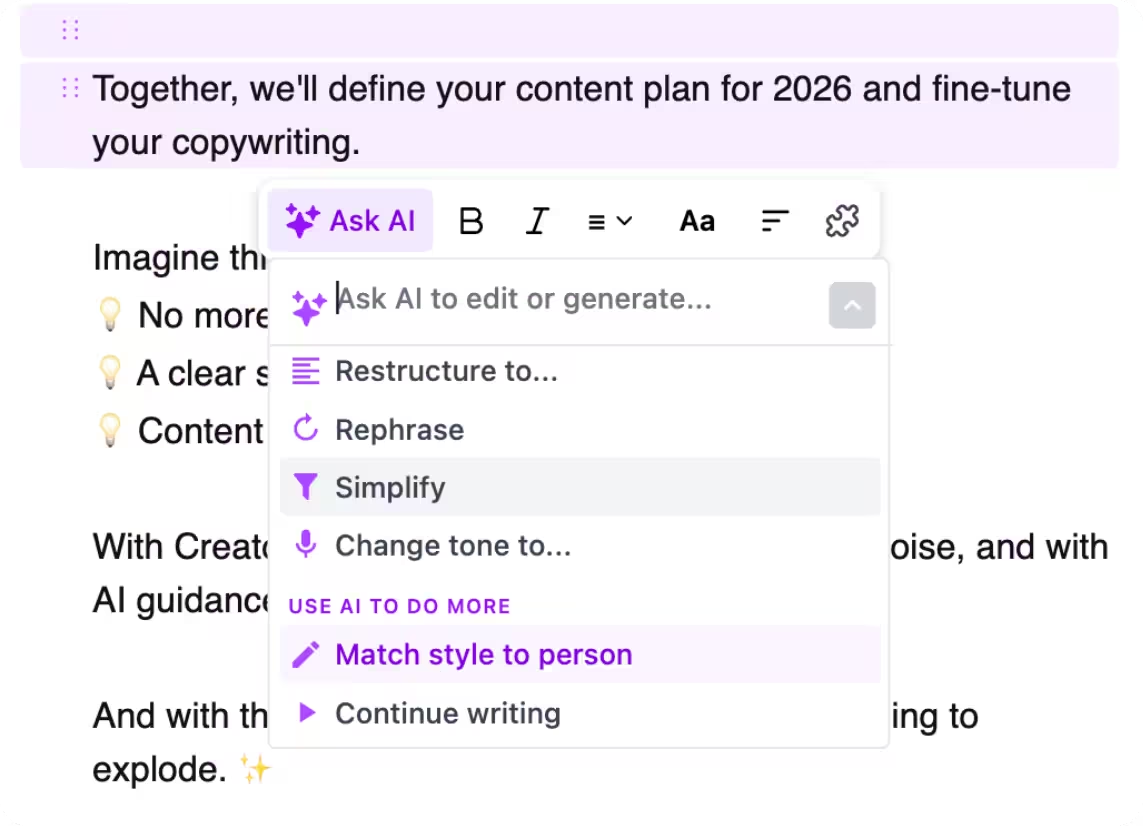
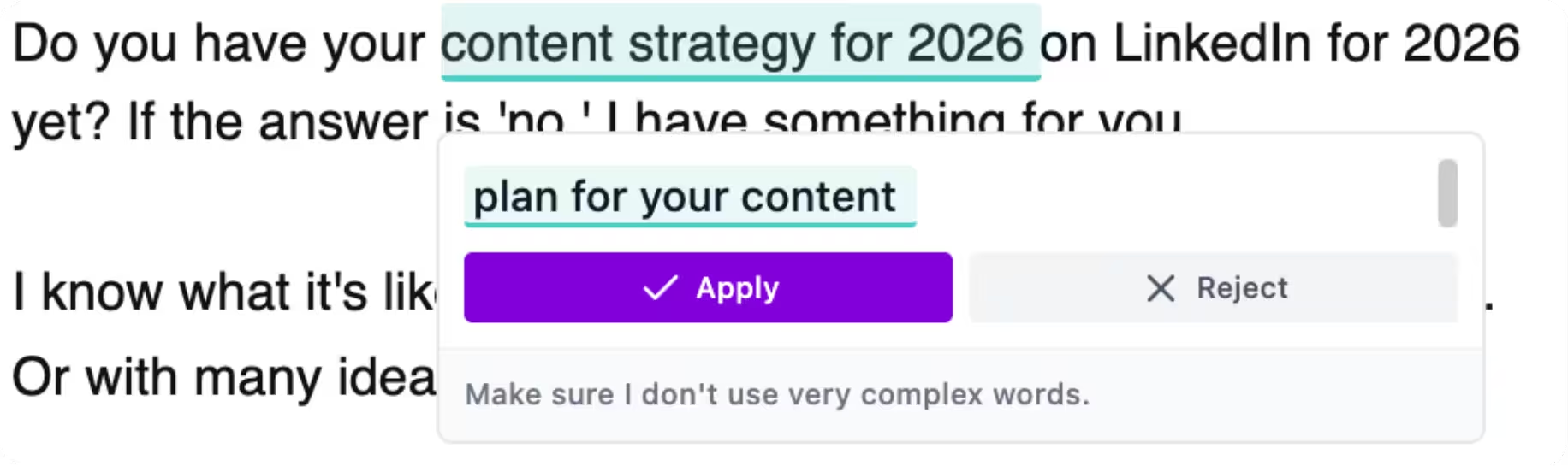
Magic Commands: Highlight text and command "Make it punchier," "Fix grammar," or "Expand this point."
Real-world proof
What it looks like in practice
A quick story from someone using CreatorHub in their weekly workflow.

"I used to worry AI would sound robotic. The Style Reference learned my tone in 3 posts. Now I drop a rough idea and it writes exactly like me."
Elena R.
Course Instructor @ Maven
For power users
The capabilities you can rely on
A concrete list of what’s included — so you know exactly what you’re getting.
Voice cloning so every post sounds like you
Repurpose content from PDFs and videos into post-ready drafts
Magic commands to rewrite, expand, shorten, and polish instantly
Templates and structure helpers to avoid the blank-page problem
Frequently Asked Questions
Will the AI sound like me?
Can I really generate posts from a PDF or Video?
Will this get me banned from LinkedIn?
Can I cancel anytime?
If you want a calmer, repeatable LinkedIn system — this is it.
No big learning curve. Start small, keep what works, and build momentum week by week.
30-Day Money-Back Guarantee Cancel Anytime