Built into CreatorHub
Smart Engagement Network
What usually gets in the way
The Engagement Trap
You spend hours scrolling through irrelevant posts hoping to get noticed, only to get distracted.
How this helps — without extra effort
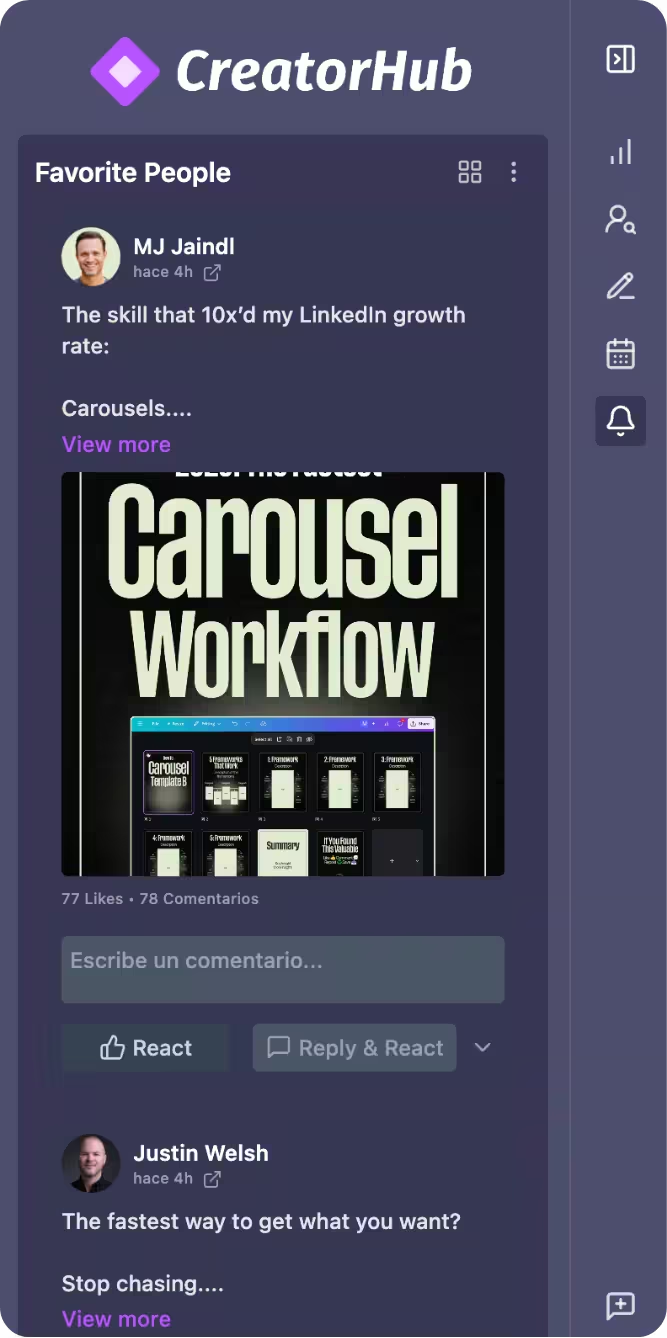
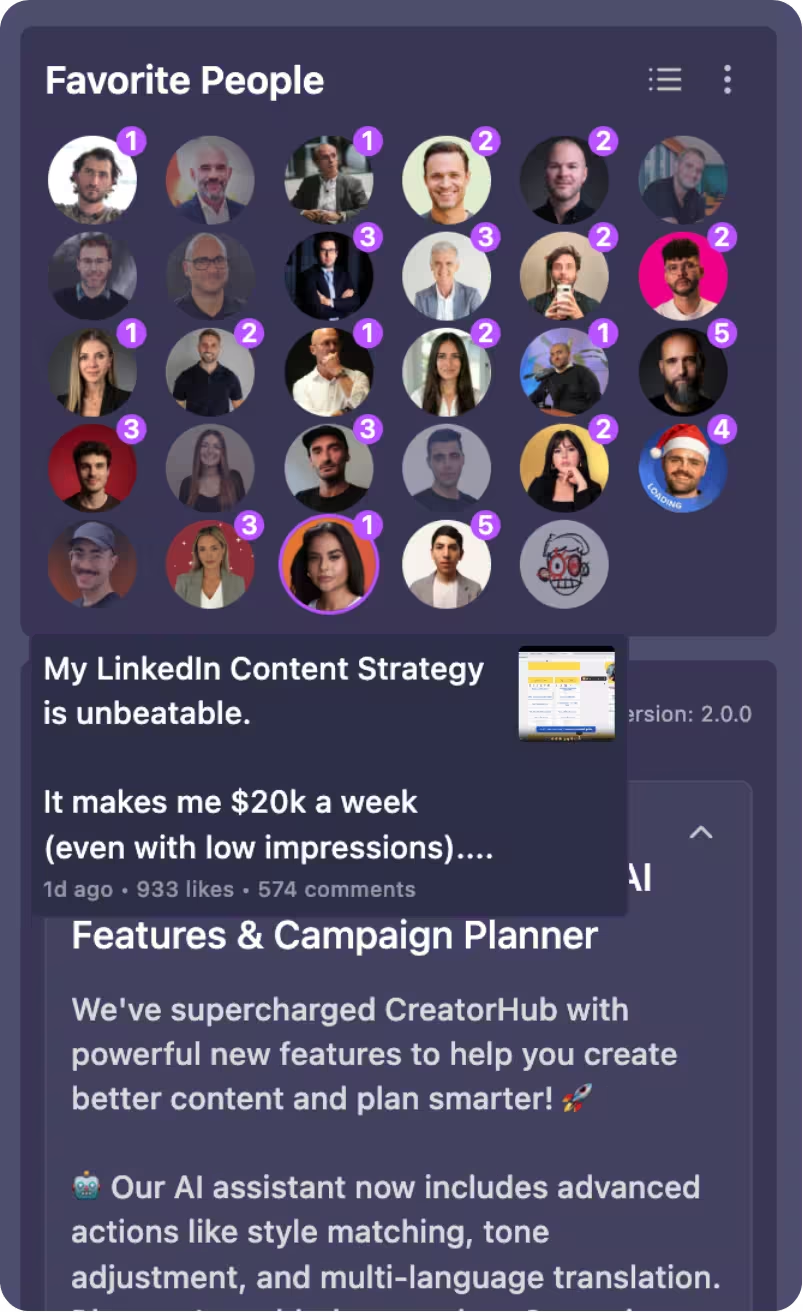
Create a "VIP lane" on LinkedIn. Stop doom-scrolling and focus your engagement where it actually moves the needle.
Trusted by teams at



Your weekly workflow
What you’ll actually do (and what CreatorHub handles for you)
The goal is to reduce friction: fewer steps, clearer decisions, and a system you can keep using.
Zero-scroll feed
Zero-Scroll Feed: See updates ONLY from your "Favorite People" list. Comment, engage, and leave.
Instant notifications
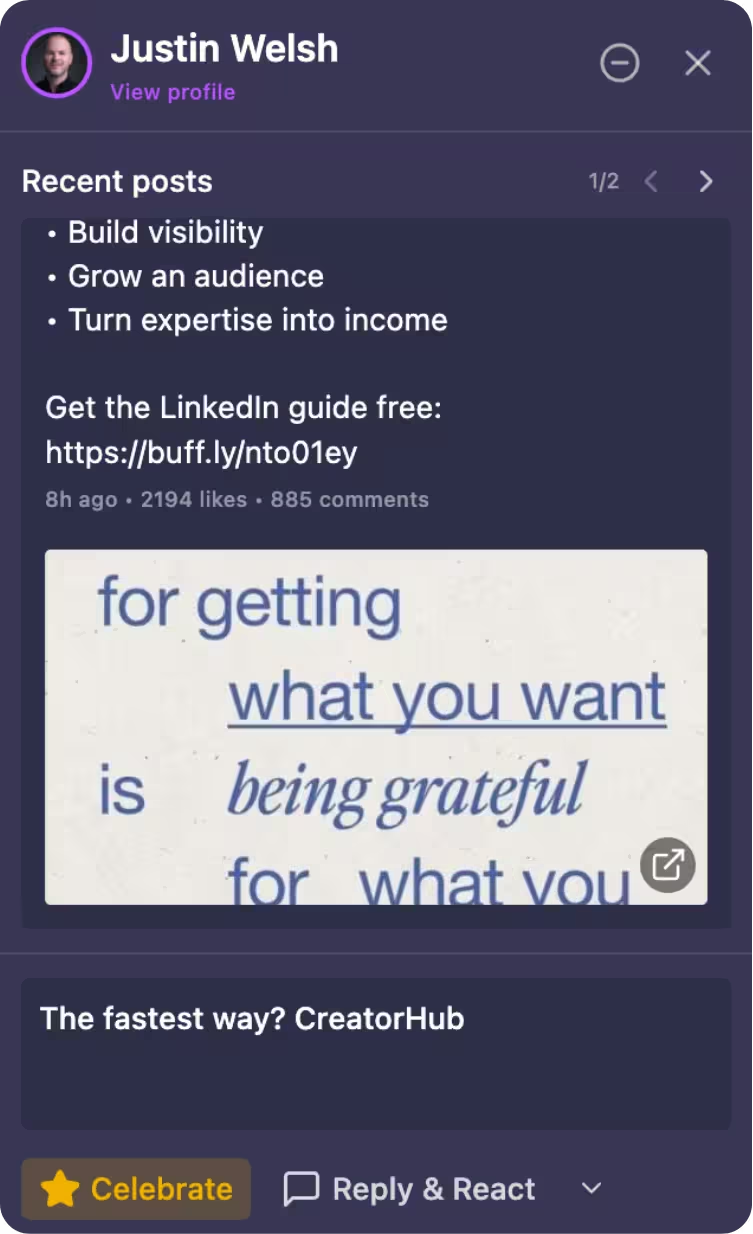
Instant Notifications: Be the first to comment when a key prospect posts.
Private notes
Private Notes: Add context to profiles (e.g., "Met at X conference, loves golf") visible only to you.
Real-world proof
What it looks like in practice
A quick story from someone using CreatorHub in their weekly workflow.

"I used to spend an hour scrolling. Now 15 mins with key decision-makers—the 'Favorite People' feed changed everything. Consistency brings them straight to my DMs."
Nicolás B.
Head of Sales @ Edu-Con
For power users
The capabilities you can rely on
A concrete list of what’s included — so you know exactly what you’re getting.
A zero-scroll feed showing only your Favorite People
Instant notifications when key people post
Private notes on profiles (visible only to you)
Faster, more intentional engagement sessions
Frequently Asked Questions
Will the AI sound like me?
Can I really generate posts from a PDF or Video?
Will this get me banned from LinkedIn?
Can I cancel anytime?
If you want a calmer, repeatable LinkedIn system — this is it.
No big learning curve. Start small, keep what works, and build momentum week by week.
30-Day Money-Back Guarantee Cancel Anytime